Alpha Sophia for HCP Targeting & Lead Qualification
Build HCP target lists based on what providers actually bill. Filter 7.5M+ US providers by specialty, CPT/HCPCS procedure volume, ICD-10 diagnosis volume, payer mix, geography, and affiliations. Then export your list to your CRM, so your reps can start prioritizing outreach.
“One day after Alpha Sophia, my rep had referrals from an entirely new clinic, from a doctor that is one of the top prescribers in the state.”
Challenge

What Is HCP Targeting?
HCP targeting is how a sales or marketing team decides which healthcare professionals (HCPs) to reach, and in what order. A good target list does more than name every doctor in your specialty. It shows you who performs the procedures your product supports and who treats relevant patients. Just as important, it helps your reps prioritize physicians before checking practical access and purchasing influence.
Sales targeting in healthcare is uniquely challenging because provider behavior, institutional affiliation, and clinical focus change continuously. If your list came from a static National Provider Identifier (NPI) export or old CRM tags, it may miss important changes. So your reps can end up spending hours on providers who’ve changed focus, can’t be reached, or don’t have a say in what gets bought.
For example, a list of “oncologists in New York” can’t tell you which ones actively treat eligible patients. It also can’t tell you who primarily works in research, or whose institution restricts access for reps. Without deeper intelligence, outreach efforts are misaligned before the first interaction even occurs.
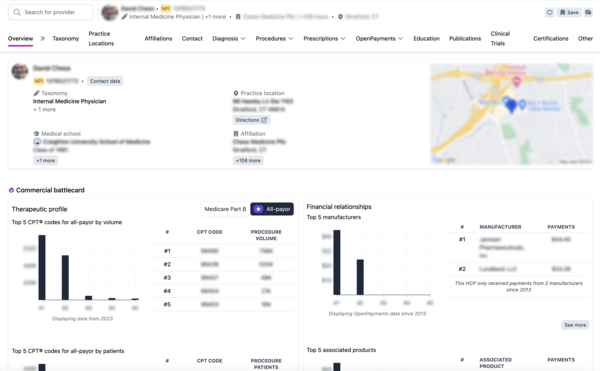
Alpha Sophia helps address the clinical targeting problem by building lists from the claims providers actually bill. It draws on all-payer claims from Medicare, Medicaid, and commercial insurers. So before your rep ever picks up the phone, you can see which procedures providers bill for and how often.
The Hidden Cost of Poor Lead Qualification
When sales teams lack precise targeting tools, they are forced to rely on volume rather than relevance. This results in wasted outreach, longer sales cycles, and inconsistent performance across territories. In healthcare, where access barriers and decision-making complexity are already high, poor lead qualification compounds these challenges.
For instance, a MedTech team might chase physicians based on specialty alone, only to find out later that many don’t perform the relevant procedures. Others have little influence over purchasing or work in settings where adoption is unlikely. Sometimes, that only comes to light months later, after reps have already put in the calls and the drive time.
Solution
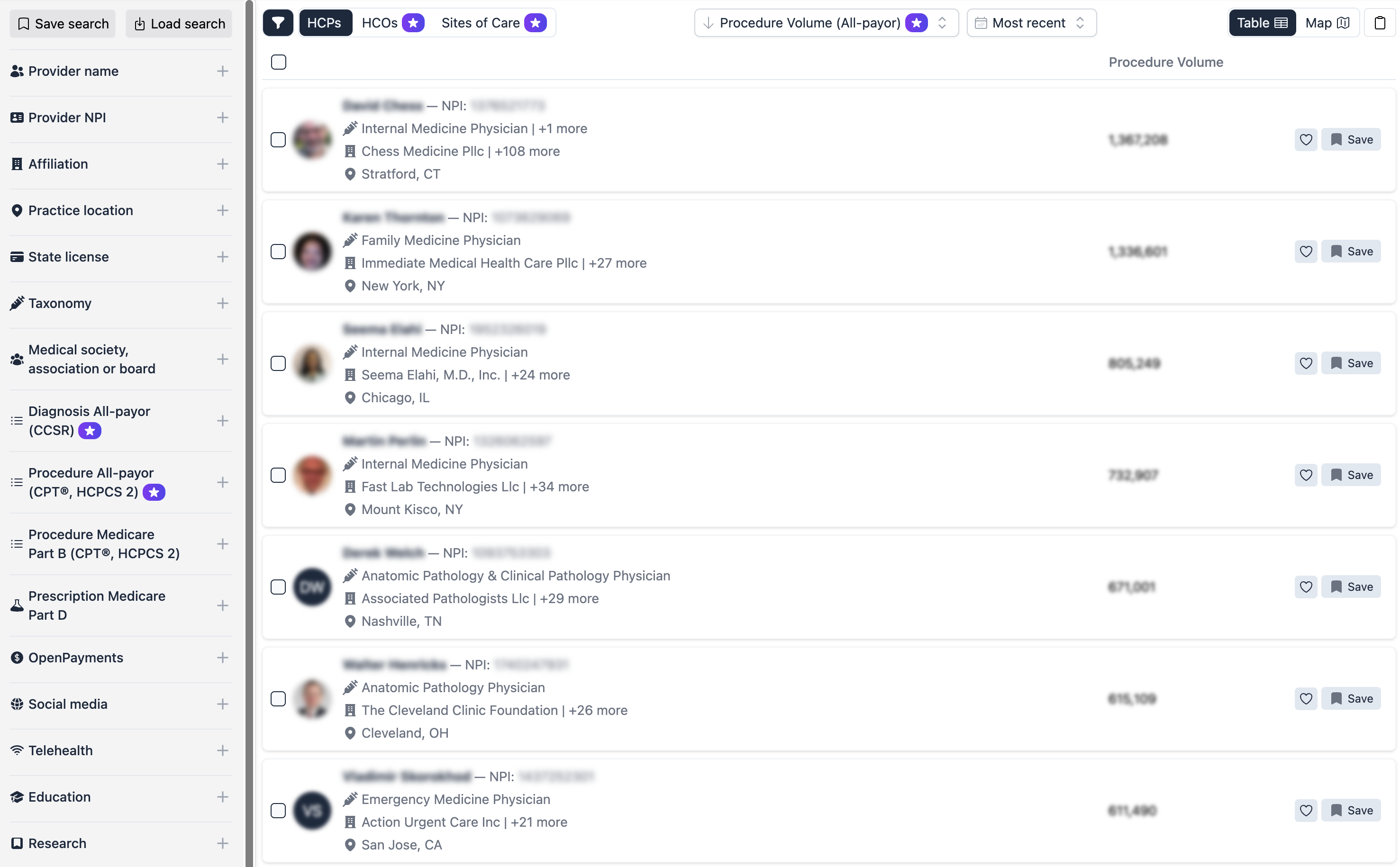
With Alpha Sophia, you build one target list by stacking filters. Each filter answers a different question about whether a provider is worth your rep’s time. You start broad with specialty, then keep narrowing until only the people who fit are left.
1. Specialty and Subspecialty
Start by filtering HCPs based on the medical specialty relevant to your product, then narrow the list by subspecialty. For example, if you sell spinal implants, you can start with orthopedic surgeons and narrow your search to those specializing in spine surgery, rather than including surgeons who focus on hand or joint procedures.
You can further refine your list by physician seniority and medical society membership before checking which providers actually perform the relevant procedures.
2. CPT and HCPCS Procedure Volume
This is the filter that separates the doctors who could use your product from the ones who actually do the work. On its Max plan, Alpha Sophia shows all-payer procedure volumes and patient counts by CPT® and HCPCS Level II codes, the billing codes for procedures, devices, and supplies. If you’d like a refresher on how they work, see our guide to CPT and HCPCS codes.
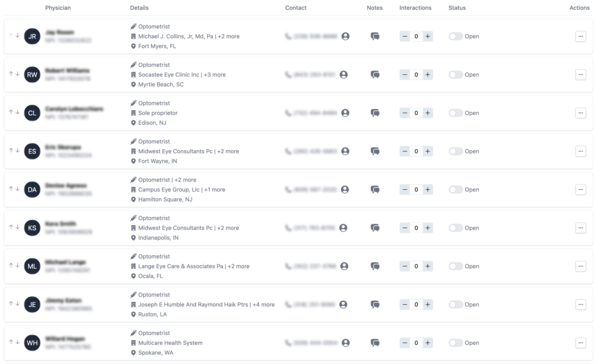
If you sell an implant for total knee replacement, you can find orthopedic surgeons in your territory with billing activity for CPT 27447. Then you sort them from highest volume to lowest, and your reps know where to start. When the patient’s condition matters more than the procedure, you can filter by ICD-10 diagnosis volume instead.
3. Payer Mix
Procedure volume on its own can mislead you, because two practices with the same count can get paid very differently. Payer mix shows how a provider’s patients split between Medicare, Medicare Advantage, and commercial insurance. That’s especially useful for labs and device companies whose reimbursement depends on who’s paying. Our post on payer mix for lab sales teams walks through a worked example.
4. Geography and State Licensure
Next, match the list to the ground your reps actually cover. You can filter by practice location, confirm each HCP holds a license in your target states, and see everyone on an interactive map. From there, it’s easy to draw territories around where the volume is. That way, a rep in Ohio isn’t handed a list full of Kentucky doctors.
5. Affiliations
Affiliations show you which hospitals, health systems, medical groups, and physical sites of care each provider is connected to. This helps you identify accounts where purchasing may be centralized rather than approaching every physician as an independent buyer. And when you’re selling into an integrated delivery network (IDN), you can see which physicians and facilities belong to that network.
Volume isn’t the whole story, either. A physician with moderate volume but strong referral influence may be a more valuable target than a busier peer who works on their own. Alpha Sophia’s referral intelligence maps who sends patients to whom, so you can find those connectors too.
Add Financial and Online Signals
Once you know who’s on your list, two more filters help you decide how to approach each person. Open Payments draws on the federal CMS Open Payments database, which tracks payments from manufacturers to providers. So you can see which HCPs have reported financial relationships with manufacturers. And the social media filter helps you find HCPs with profiles on LinkedIn, Doximity, or X.
Marketing teams use these same filters to split one target list into segments, so each group gets a message that suits it. If you’re building those groups for the first time, start with our guide to HCP segmentation models that drive action.
Push Your Target List to the CRM
A target list only helps once it’s sitting where your reps work every day. You can export your list to Excel or CSV for use in Salesforce, HubSpot, or another CRM. Direct CRM integrations are available through Alpha Sophia’s Custom plan. If you don’t have a CRM yet, you can manage the list in Alpha Sophia’s built-in CRM instead.
Every provider record carries its NPI, which makes matching the list to records already in your CRM much easier and cuts down on duplicates. If your field team plans visits in RepMove, you can sync your prioritized targets into RepMove and track activity there. And if you need the data in your own systems, API access comes with the Custom plan.